TL;DR: CSV looks like the simplest possible data format, which is exactly why small inconsistencies — a stray comma inside an unquoted field, a mismatched delimiter, a hidden BOM — cause an import to fail or silently misalign columns. Pair this guide with Encoding Converter, Duplicate Finder, Remove Extra Spaces and Character Counter.
CSV's actual rules are defined in RFC 4180, though in practice most real-world CSV only loosely follows it — which is exactly the source of most import problems.
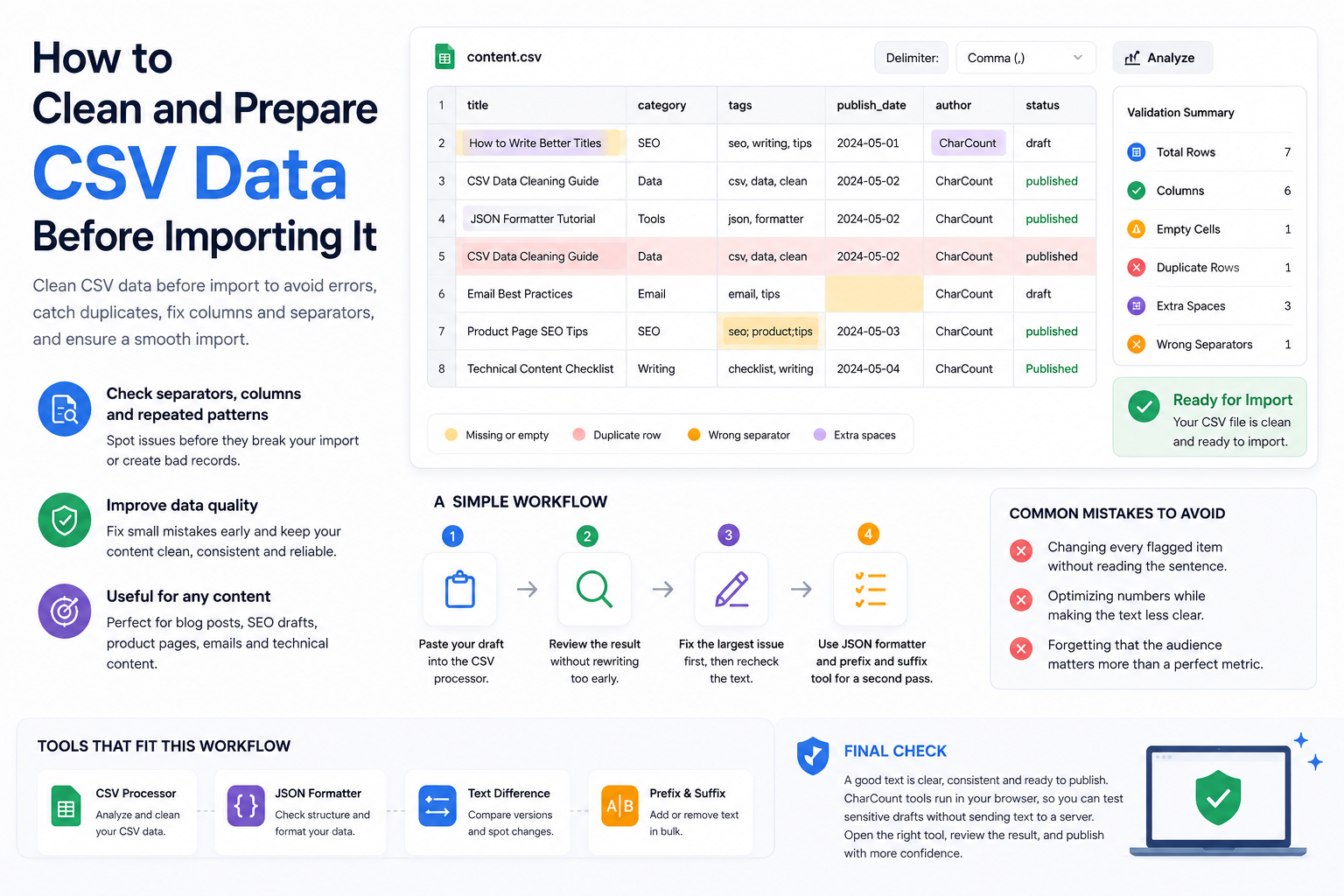
Where CSV imports actually break
The core problem: a comma is both the column delimiter and a character that can legitimately appear inside a text field (an address, a product description with "Small, Medium, Large" in it). RFC 4180's answer is quoting — a field containing a comma must be wrapped in double quotes, and a literal double quote inside a quoted field is escaped by doubling it (""). Software that exports CSV without following this rule produces files where a single unquoted comma silently shifts every column after it by one.
Delimiters aren't universal
Comma-separated is the default assumption, but plenty of real files use semicolons instead — notably common in locales where the comma is already the decimal separator for numbers, which makes reusing it as a column delimiter ambiguous. A CSV that opens as a single unsplit column in a spreadsheet is very often just using the wrong delimiter for that tool's assumption, not actually broken.
Encoding and the invisible BOM
A UTF-8 byte order mark (BOM) — three invisible bytes at the very start of a file — is added by some tools (notably Excel on export) to signal encoding, but not every parser strips it automatically. Left in place, it can attach itself invisibly to the first column's header name, so a lookup for a column literally named name fails because the actual header is name with an invisible character prepended — a bug that's genuinely difficult to spot by eye.
A pre-import cleanup workflow
- Open the raw file as plain text first (not in a spreadsheet, which auto-interprets and can hide the real structure) to check the actual delimiter and quoting.
- Check the first few bytes for a BOM if column-name lookups are failing mysteriously.
- Look specifically for unquoted commas inside what should be single text fields — the most common cause of column misalignment.
- Check for a trailing newline or trailing empty row, which some import tools count as a broken final record.
- Run Duplicate Finder on a key column (like an ID or email) before import if duplicate records would cause problems downstream.
Common mistakes to avoid
- Assuming every CSV uses commas — semicolon-delimited files are common and look identical until you try to split on the wrong character.
- Editing CSV in a spreadsheet app, which silently reformats dates, strips leading zeros, and can re-encode text in ways that don't match the original.
- Not checking for a leading BOM when header-based lookups fail for no visible reason.
- Ignoring unquoted commas inside free-text fields until the import produces obviously shifted columns.
Most CSV import failures aren't really about the data — they're about a parser's assumptions (delimiter, encoding, quoting) not matching what the file actually contains.